
An Indian virtual phone number is a business number that operates over the internet, so calls can ring on any phone or laptop your team uses. Choose from a city landline number or an 1800 toll free number or a 10 digit mobile number. While it only takes a few minutes to sign up, KYC checks typically take one to three days. Most plans are in the range of ₹2,000 to ₹2,500 a month, plus GST and call charges.
A virtual phone number is a business phone number that isn't tied to a physical SIM card or landline. It works over the internet, using cloud telephony or VoIP, and forwards calls to any mobile, laptop or desk phone.
Also called an online or cloud phone number, it lets businesses use local, 1800 toll-free or mobile-format numbers and manage calls from anywhere.
Getting a virtual phone number in India takes a few steps. You choose a number type, pick a provider, complete KYC and set up call routing.
This guide covers each step, what it costs, a comparison of the best virtual number providers in India, which TRAI rules are applied, and when SIM-based calling is the better choice for sales teams.
What Is a Virtual Phone Number?
A virtual phone number runs on the internet, not on a SIM card or landline. You can answer its calls on your mobile, laptop or desk phone.
A virtual phone number is a real, working phone number. Customers dial it like any other number. The difference is where it lives.
A normal mobile number is linked to a SIM card inside one phone. A landline number is wired to one address. A virtual number is hosted on a cloud platform. That platform decides where each call should go.
A virtual phone number is also known by other names:
- Online phone number
- Cloud phone number
- VoIP number
- Virtual business number
They all mean roughly the same thing: a number that isn't locked to one device or location.
Many people have a misconception that virtual numbers are fake or unofficial. They're not.
Every phone number in India, virtual or not, comes from a telecom operator licensed by the Department of Telecommunications (DoT). Before a virtual number goes live, the provider checks your business documents (KYC), just like you need ID proof to buy a SIM card.
So a virtual number from an authorised provider is as real and legal as any other phone number.
Here's a quick comparison between a virtual number, a SIM mobile number and a landline:
| Virtual number | SIM mobile number | Landline | |
|---|---|---|---|
| Tied to | A cloud account | One SIM card | One physical address |
| Where calls ring | Any phone, laptop or app you choose | Only the phone with the SIM | Only the desk phone |
| Number of users per number | Multiple | Single User | Multiple (needs a PBX) |
| Call recording and reports | Built in | Needs an extra app | Needs extra hardware |
| Works when you travel | Yes | Yes | Yes |
| Setup | Online, plus business KYC | Buy a SIM, personal KYC | Technician visit |
| Best for | Teams, support lines, multi-city businesses | Business calls, Individuals, remote or field sales. | Fixed offices |
How Does a Virtual Phone Number Work?
To explain in brief, this is how a virtual phone number works. When a customer dials your number, the call first reaches your provider's cloud platform. The platform then checks the rules you've set and sends the call to the right person, on whichever phone or device they're using.
Here's what happens at each stage.
1. Number Allocation
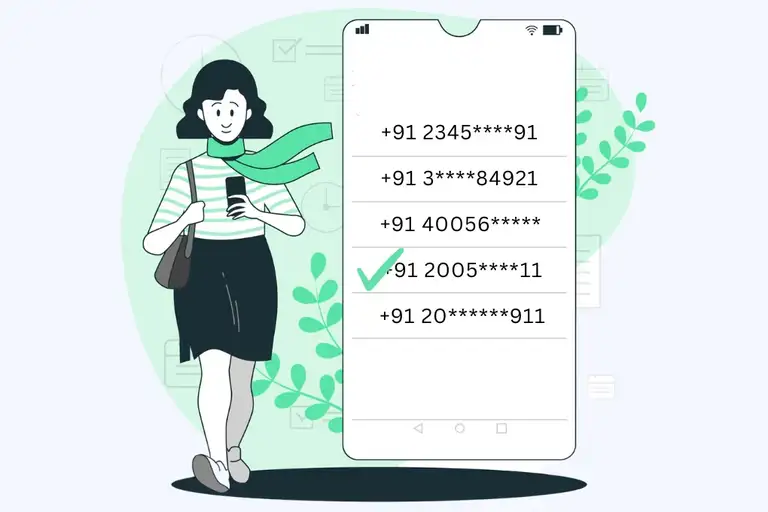
When you sign up, your provider gives you a new number. Providers get these numbers from licensed telecom operators, such as Airtel or Tata Tele Business Services.
In most cases, you can choose the type of number you want: mobile, landline or toll-free. For landline numbers, you can usually pick the city code as well.
Say you run an online clothing store from Mumbai, but most of your customers are in Delhi. You can take a Delhi number (starting with 011). Delhi customers see a local number and feel they're calling a nearby business. The calls still reach your team in Mumbai.
2. Call Routing and Forwarding
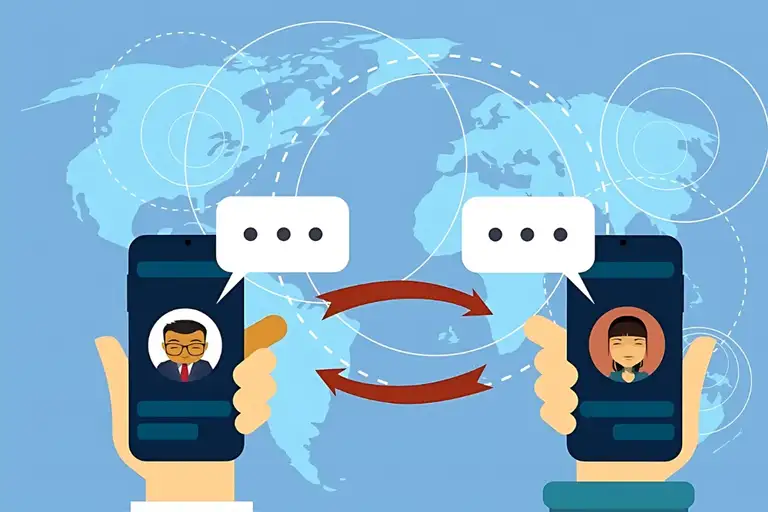
Once the number is live, you tell the system where calls should go.
Common options:
- Ring one person first, then the next if they don't answer
- Ring the whole team at once
- Send the caller to the agent they spoke to last time ("sticky" routing)
- Forward calls to a personal mobile after office hours
Forwarded calls land on your team's regular mobiles, so they don't need to be at a desk.
Many Indian cloud telephony providers run virtual numbers on a mix of regular phone network (PSTN) and VoIP infrastructure, which helps with reliability and call quality.
3. Cloud Features: IVR, Recording and Business Hours

Because the number runs on software, you get features a plain SIM can't give you:
- IVR menus. "Press 1 for Hindi, press 2 for English." Or "Press 1 for sales, press 2 for support."
- Call recording. Every call gets saved for training, quality checks or disputes resolution.
- Business hours. Calls after 7 PM go to voicemail or a missed-call alert.
- Missed call alerts. You get an SMS or email with the caller's number so you can call back.
- Voicemail to email. Voice messages show up in your inbox.
- Reports. You can see how many calls came in, how many were missed and how long people waited.
4. Outbound Calls and Caller ID
You can make calls from a virtual number too. The customer sees your business number, not your agent's personal mobile.
There are two common ways to make these calls:
- Through the provider's app. The agent dials the customer from the app on their phone or laptop, just like a normal call.
- Through click-to-call. The agent clicks the customer's number in the dashboard or CRM. The system rings the agent's phone first. Once the agent picks up, it connects them to the customer.
Some providers also let you choose what the customer sees.
Airtel IQ, for example, offers a mobile-number caller ID for quicker pickups and a landline caller ID for brand recognition.
This protects your agents' privacy. If an agent leaves, the customer relationship stays with your business number, not with their personal phone.
What Are the Types of Virtual Phone Numbers in India?
You'll come across four main types. Each suits a different job.
| Type | What it looks like | Best for |
|---|---|---|
| Mobile-format | 10 digits, looks like a normal mobile number | Sales calls, WhatsApp, higher pickup |
| Landline / city code | Starts with a city code like 022 or 080 | Local presence in specific cities |
| 1800 toll-free | 1800-XXX-XXXX | Customer support, national brands |
| International | Foreign numbers (US, UK, UAE, etc.) | Serving customers outside India |
Mobile-Format (10-Digit) Numbers
A virtual mobile number in India looks exactly like a regular 10-digit mobile number. Customers can't tell it's virtual.
That's the main advantage. People in India are more likely to answer a number that looks like a mobile than an unknown landline. These numbers also work well if you want to link WhatsApp Business to your business number.
Landline / Local City-Code Numbers
A virtual landline number in India carries a city code, like 022 for Mumbai, 080 for Bengaluru or 011 for Delhi.
This type helps when you want to look local in several cities at once. A real estate firm can run a Pune number and a Bengaluru number from the same office. Customers in each city see a local number.
1800 Toll-Free Numbers
A virtual toll free number in India is free for the caller. Your business pays for the call instead.
In India, a toll-free number usually starts with 1800 and has eleven digits.
The main ongoing cost is a per-minute charge for incoming calls. So a busy support line can get expensive. Plan your budget around your expected call volume.
There's also the 1860 series. With 1860 numbers, the cost is split: the caller pays local call charges and the business pays the STD portion.
One catch: an Indian toll-free number only connects from within India, so a customer calling from Dubai or Singapore won't get through.
International Numbers
If you sell to customers abroad, you can get a number in their country. A US number for US clients, a UK number for UK clients, and so on. Calls get routed to your team in India.
This works the other way too. A foreign business can't dial out on an Indian number without an Indian entity, because Indian caller IDs are issued against Indian KYC.
How to Get a Virtual Phone Number in India
The process is mostly online. Most businesses go from sign-up to a working number in a few days.
Step-by-Step Process
- Decide what you need it for. Is it for inbound support, outbound sales, or both? How many people will take calls? Do you need WhatsApp on the same number?
- Pick the number type. Mobile-format for sales, city code for local presence, 1800 for support. (See the table above.)
- Shortlist two or three providers. Compare plans, and take a free trial where one is offered.
- Choose your plan and number. Many providers let you pick from available numbers. Some charge extra for "fancy" numbers with repeating digits.
- Submit your KYC documents. You'll also usually fill in a Customer Acquisition Form (CAF).
- Wait for verification. Once the telecom operator verifies your documents, which usually takes around 24 to 72 hours, the number gets activated.
- Set up your call flow. More on this below.
What Documents Do You Need for KYC?
KYC is mandatory. TRAI and DoT require strict KYC even for toll-free numbers.
Across the industry, Indian KYC usually means a company registration or GST certificate, an address proof and an authorised signatory's ID. The exact list depends on your business type:
| Business type | Documents usually asked for |
|---|---|
| Private Limited / LLP | Certificate of Incorporation, company PAN, GST certificate, authorised signatory's Aadhaar or PAN, authorisation letter |
| Partnership firm | Partnership deed, firm PAN, GST certificate, partner's Aadhaar or PAN |
| Sole proprietorship | GST certificate or Shop & Establishment licence, proprietor's Aadhaar and PAN |
A Shop Act licence can often be used as address proof in place of a GST certificate. Check with your provider before you apply.
A practical tip: make sure the business name and address match across every document. A mismatch is the most common reason KYC gets sent back, and it can add days to your activation.
How Do You Set Up Call Forwarding, IVR and Routing?
Once your number is live, here's how to set up a virtual phone number so it works properly from day one:
- Add your team. In the provider's dashboard, add everyone who will handle calls. You can do this in one of two ways. Enter their mobile numbers, so calls ring on their phones. Or create a login for each person, so they can take calls in the provider's app.
- Build your IVR. Keep it short. Three or four options is plenty. Callers hang up when menus drag on.
- Set business hours. Decide what happens after hours: voicemail, a missed-call alert, or forwarding to a manager's phone.
- Pick a routing method. Round robin spreads calls evenly. Sticky routing sends repeat callers to the same agent. Simultaneous ringing gets the fastest answer.
- Turn on call recording. Add a short greeting that tells callers the call may be recorded.
- Connect your CRM. Most providers integrate with tools like Zoho, LeadSquared or Freshdesk, so call logs appear against each lead automatically.
- Test everything. Call from a Jio, an Airtel and a Vi number. Call after hours. Try each IVR option. Fix anything that breaks before you print the number anywhere.
How Much Does a Virtual Phone Number Cost in India?
Most providers don't sell "just a number". They sell a plan that bundles the number with users, minutes and features.
Here's a realistic picture of virtual phone number costs in India:
| What you pay for | Typical cost |
|---|---|
| Virtual number rental (per number) | About ₹500 to ₹1,500 per month |
| Starter plan with one number | About ₹2,000 to ₹2,500 per month |
| 1800 toll-free number | From about ₹500 per month as an add-on; standalone plans cost more |
| Extra users or agents | About ₹1,000 to ₹3,500 per user per month |
| GST | 18% on top of most listed prices |
Where these numbers come from:
- A Tata Smartflo partner quotes Indian virtual numbers at ₹500 to ₹1,500 per month each, with outbound minutes typically at ₹0.40 to ₹0.80.
- Exotel's entry Dabbler plan costs ₹9,999 for five months and includes one virtual number, three agents and 5,000 credits. That works out to about ₹2,000 a month.
- MyOperator's Compact plan starts at ₹2,500 a month. Its plans are billed annually with GST extra, and a 1800 number starts at ₹500 a month.
- Airtel says its cloud-integrated toll-free services start at around ₹2,500 a month.
- Knowlarity's contact centre plans are listed from ₹1,999 per agent per month, and its annual toll-free plans from ₹21,000 to ₹46,200.
What Drives the Cost?
Your final bill depends on a few things:
- Number of channels. A channel is one call at a time. Two channels means two customers can call at once. More channels cost more.
- Number of agents. Many plans cap users. Each extra user adds a monthly fee.
- Minutes. Outbound calls are almost always charged. Incoming calls on toll-free numbers are charged too.
- Number type. Toll-free numbers usually cost more than city-code or mobile-format numbers.
- Add-ons. WhatsApp, AI voice agents, extra recording storage and advanced reports often sit outside the base plan.
Hidden Fees to Check
Read the fine print for these before you pay:
- Setup or onboarding fees. There's often a one-time setup or service management fee.
- Pulse billing. Calls are usually billed in 30-second or 60-second pulses. A 61-second call on a 60-second pulse gets charged as two minutes.
- Credit expiry. On prepaid plans, unused credits may lapse when the plan period ends.
- Extra numbers. Plans often include just one virtual number, and each additional number costs more.
- Annual lock-in. Some "monthly" prices are only available if you pay for the full year upfront.
Ready to Scale Your Business Communication?
Combine the power of virtual calling with real-time tracking and insights to boost productivity and never miss an opportunity.
Who Are the Best Virtual Phone Number Providers in India?
There are dozens of virtual number providers in India. These five are among the most established.
| Provider | Number types | Best for | Starting price | Free trial |
|---|---|---|---|---|
| Knowlarity | Virtual, toll-free, missed call | SMBs needing toll-free and missed-call campaigns | ₹1,999 per agent per month | 7 days |
| MyOperator | Virtual, 1800 add-on, WhatsApp | Small businesses wanting calls and WhatsApp together | ₹2,500 per month (billed annually) | Yes |
| Tata Tele Business Services (Smartflo) | City-code numbers, 1800, mobile number series | Regulated industries and larger contact centres | Quote-based | Demo on request |
| Airtel IQ | Mobile and landline caller ID, toll-free, number masking | High-volume and API-driven businesses | Quote-based | Demo on request |
Prices checked on 29 September 2026. Plans change often, so confirm on each provider's website before you buy.
How to Choose the Right Virtual Phone Number Provider
Before you sign up, ask each provider these questions:
- Reliability. Ask the provider how often calls fail or the service stops working. Also ask for the contact of one of their existing customers. A quick chat with them will tell you if the service is dependable.
- Pricing. Get the full monthly cost for your team size and call volume, including GST. Check for any one-time setup fee. Also find out the pulse rate, because it decides how your call minutes are counted.
- Integrations. Make sure the service connects directly with the CRM you already use. If it doesn't, you may need a developer to link the two, which adds time and cost.
- Support. Check whether you can speak to a real person on the phone when something goes wrong. Find out which languages the support team speaks and what hours they're available.
- Compliance. If your business makes promotional calls, you'll need a 140-series number. Banks, financial firms and some service businesses need a 1600-series number. Confirm the provider can give you the right one.
- Exit. Find out whether you can keep your number if you move to another provider later. Losing a number that customers already know can hurt your business.
Use the free trial properly. Route real calls through it for a week. Check the call quality on your team's actual phones and networks.
Are Virtual Phone Numbers Legal in India?
Yes. Virtual phone numbers are legal in India when they are issued through authorised telecom channels, follow KYC rules and use numbering resources allocated through the regulated telecom system.
The rules get stricter when you use a number for commercial calls. Here's what applies.
KYC is mandatory. No licensed provider can activate a business number without verified documents.
TRAI's anti-spam rules apply to every business caller. These come from the Telecom Commercial Communications Customer Preference Regulations (TCCCPR), 2018. TRAI made major amendments to these rules on 12 February 2025.
Promotional calls need a 140-series number. Businesses can't use normal 10-digit numbers for telemarketing. Promotional calls go through the 140 series, while the 1600 series is assigned for transactional and service calls.
Banks, financial firms and government bodies must use the 1600 series for service and transactional calls. Commercial banks had to move by 1 January 2026, and remaining NBFCs, co-operative banks and regional rural banks by 1 March 2026.
The 1600 series is expanding. In its first phase, TRAI is extending the 1601 series to service and transactional calls from utilities, courier and logistics companies.
Penalties are serious. A first offence can bring a 15-day bar on outgoing services. Repeat offences can mean a one-year disconnection and blacklisting across all providers. Financial penalties rise to ₹10 lakh per instance for subsequent violations.
Here's what that means in practice:
| Type of call | Which number to use |
|---|---|
| Customer calls you (inbound) | Any virtual, toll-free or regular number |
| Follow-up with a lead who asked to be contacted | A regular business number, with the lead's consent on record |
| Promotional or cold calls | 140-series number, registered on the DLT platform |
| Service or transaction calls from BFSI, government, utilities, courier or logistics | 1600 / 1601 series |
A few more things to keep in mind:
- Call recordings are personal data. Under the DPDP Act, tell callers you're recording, store recordings securely and delete them when you no longer need them.
- Emergency calls. Many virtual numbers can't reliably connect to 112. Don't make a virtual number your only phone line.
Official sources:TRAI's TCCCPR Second Amendment, 2025 (PDF) and TRAI's press release on the amendment.
What Are the Benefits of a Virtual Phone Number for Business?
A virtual phone number for business solves a few everyday problems.
- It costs less than a traditional setup. There's no PBX hardware, no wiring and no technician visits. You pay a monthly plan and add numbers as you need them.
- You can look local anywhere. A Mumbai company can run a Delhi number and a Bengaluru number without renting offices in either city.
- Your team can work from anywhere. Calls follow people to their mobiles, laptops or homes. It's useful for remote and hybrid teams.
- It grows with you. Hiring five new agents? Add them in the dashboard. No new SIM cards, no new phone lines.
- Your business looks more professional. Customers call one business number, get a proper greeting and reach the right person. Nobody has to share their personal mobile.
Every setup has trade-offs, though. For the full picture, read our breakdown of the pros and cons of virtual numbers and VoIP.
Virtual Number or SIM-Based Calling: Which Suits Your Sales Team?
Virtual numbers are great for some jobs and not the best fit for others. It depends on who's calling whom.
| Virtual number | SIM-based calling | |
|---|---|---|
| Works best for | Inbound support, multi-city presence, toll-free lines | Outbound sales and follow-up calls from mobiles |
| Caller ID | Business number (landline, mobile-format or 1800) | The agent's business SIM number |
| Needs internet | For app-based calling, yes | No, runs on the regular mobile network |
| Setup | Business KYC, plan selection, call-flow setup | Uses SIMs your team already has |
| Monthly cost | Plan plus per-minute charges | Your existing mobile plans plus a call monitoring software |
Pick a virtual number if customers mostly call you. A support helpline, a toll-free order line or a local number in five cities all work better on a virtual setup.
Pick SIM-based calling if your team mostly calls customers. Telecallers following up on enquiries spend all day dialling out. SIM calls run on the regular mobile network, so a weak Wi-Fi signal doesn't drop the call. There's no new number to set up and no new call flow to design.
Final Thoughts
Before you speak to any provider, note down three things: how many calls your business gets on a busy day, how many people need to answer them, and which cities your customers call from. With those answers ready, sales pitches become much easier to judge, and you won't end up paying for users or channels you don't need.
It also helps to start with a smaller plan. Most providers let you add numbers, users and features later. Use the setup for a month, check how many calls were missed and when, and then decide what's worth upgrading.
FAQs
How can I get a virtual phone number today?
You can sign up with a provider today, but the number usually won't go live the same day. First you pick a plan and a number, then you upload your business KYC documents. Most providers activate the number within 24 to 72 hours once the documents are verified.
What are the benefits of using a virtual phone number for my business?
You get one business number that your whole team can use, from any phone or laptop. You can look local in other cities, keep your staff's personal numbers private and record calls for training. You also don't need any hardware, so it costs less than a traditional office phone setup.
Can I use a virtual phone number for call forwarding?
Yes, and most businesses use it this way. Calls to your virtual number can ring on your regular mobile, a colleague's phone or a laptop app. You decide who gets the call, in what order and at what time of day.
What limitations should I be aware of with virtual phone numbers?
There are a few. You need business documents for KYC, and you'll pay a monthly fee plus call charges. You can't make promotional cold calls from it unless it's a registered 140-series number. Indian 1800 numbers don't work for callers outside India, and many virtual numbers can't reliably connect to emergency services like 112.
How quickly can I get a virtual phone number in minutes?
Signing up and picking a number takes just a few minutes. The part that takes longer is KYC verification, which usually needs 24 to 72 hours. If your documents are ready and the details match, you'll be on the faster end of that range.
Is there a free virtual phone number option available?
Not for long-term use. A real Indian business number comes with telecom costs, so providers charge for it. You can still try one for free. Exotel offers a 7-day trial with free credits, and Knowlarity has a startup plan that gives early-stage startups a free number for six months.
Can I use virtual phone numbers for my existing phone?
Yes. You don't need a new handset. Calls to your virtual number can be forwarded to the phone you already use, or you can install the provider's app on it. Your personal number and SIM stay exactly as they are.
What is the best virtual phone number for my business needs?
It depends on who calls whom. If you make a lot of sales calls, pick a 10-digit mobile-format number, because people answer those more often. If you want to look local in a city, go for a landline number with that city's code. For a customer support line, a 1800 toll-free number works best.
How do I use a virtual phone to keep my number private?
Give customers your virtual number instead of your personal one. When they call, it rings on your phone, but they only ever see the business number. When you call them back through the provider's app, your business number shows up on their screen, not your own.
What is a virtual business phone system?
It's a complete phone setup for your business that runs in the cloud instead of on office hardware. Along with virtual numbers, it gives you features like an IVR menu, call routing, call recording, business hours and call reports. Your team can manage everything from one dashboard, whether they're in the office or at home.