
A call disposition is just a short tag, like "interested" or "call back later," added right after a call ends. Get this right and a team always knows which leads to chase and when. Get it wrong and leads quietly go cold. This post covers the tags worth using, common mistakes teams make, and how Callyzer lets you add notes and tags to every call, then filter by tag so follow-ups never get missed.
A call disposition is the short tag a rep adds right after a call ends: "interested," "call back later," "not reachable." It sounds like a small admin step. In practice, it's the difference between a sales team that knows exactly which leads need attention today and one that's guessing based on memory and half-written notes.
That's the gap Callyzer's call tracking software closes, by turning every call into a labelled, searchable record instead of a line in a notebook.
Call disposition meaning: what the tag actually captures
A disposition is simply the result of a call, picked from a short, fixed list right after that call ends. Not the full conversation. Not the tone of voice. Just one word or phrase that says what happened: interested, not reachable, call back later.
This sits alongside the other details a phone system or CRM already saves for every call, like the number dialed, the duration, and who made the call. The disposition is the one piece that tells someone what to do next.
Two things make a disposition useful instead of just a formality:
- It comes from a fixed list, not free typing. If an agent writes "spoke to him, he'll think about it" in a notes field, nobody can search or count that later. A fixed tag can be searched and counted instantly.
- It gets logged right after the call, not at the end of the day. Wait too long and agents start guessing from memory. Log it the moment the call ends and the tag stays accurate.
Do this consistently and a disposition stops being a box to tick. It becomes something a manager can actually use to build reports and set up automatic follow-ups.
Call disposition examples telecalling teams actually use
A good disposition list is shorter than people expect. Ten to fifteen tags is usually enough. Add more than that, and agents start hesitating or picking the wrong one just to move on to the next call.
Most teams use two layers of tags. The first is the main outcome, and every call gets exactly one:
| Code | Meaning | Typical next action |
|---|---|---|
| Interested / Hot lead | Wants more info or a demo | Move to priority queue, notify TL |
| Call back later | Gave a specific time or day | Schedule a reminder for that exact slot |
| Not reachable | No answer, switched off, busy | Requeue with a retry cap, three attempts, not unlimited |
| Wrong number | Invalid or misdialled contact | Remove from the active list |
| Not interested | Declined outright | Close the lead, log a reason if one was given |
| Follow-up required | Conversation happened, no decision yet | Assign an owner and a due date |
The second layer is a reason code, and it's optional: budget mismatch, competitor already chosen, documents pending, decision-maker unavailable. This is where industry-specific detail fits (more on that below), without cluttering the main list every agent uses on every call.
Keeping these two lists separate is intentional. The main list stays short and quick to use. The reason codes still give a manager enough detail to understand why leads are stalling, not just that they are.
Why this matters for lead follow-up
A disposition isn't just a record of what already happened. It's really an instruction for what to do next, and that's the part most teams don't use fully.
Look at what each tag can actually trigger:
- Call back later, with a time saved, means a reminder goes off at that exact slot, not "sometime today."
- Interested means the lead should jump to the top of the calling list right away.
- Not reachable, three times in a row, means it's time to try a different approach: a WhatsApp message, or handing the lead to another agent.
- Not interested means the lead comes off the active list, so agents stop spending time on it.
The numbers back this up too. Say a team makes 200 calls a day, and 30% of them come back as "not reachable." That's 60 calls giving zero useful information, unless there's a plan for retrying them: a set number of attempts, tried at better times of day, instead of dialing the same number again and again at random. It also helps to know when people actually pick up. Calls made in the late afternoon, around 4 to 5 PM, tend to connect noticeably better than calls made mid-morning. A "call back later" tag with a saved time is what lets a team actually use that pattern, instead of just hoping for the best.
We've written before about automating follow-ups to keep remote sales teams from losing leads between shifts. None of that automation works without clean disposition data behind it. If the tags aren't accurate, there's nothing reliable for the system to act on.
Sales call disposition best practices
Setting up a disposition list is the easy part. Keeping it accurate months later is where the real work is. A few habits make the difference:
- Make each tag mean one clear thing. If a call could reasonably be tagged either "not interested" or "follow-up required," agents will pick differently each time, and the data stops making sense.
- Log the tag right after the call, not at the end of the shift. Waiting until later is where most bad data comes from.
- Check the data regularly. Once a week, listen to five or ten calls and see if the tag actually matches what happened. If one tag is used way more or less than expected, the definition probably needs fixing, not the agent.
- Change the list carefully. If you add or rename a tag partway through the quarter, older reports won't compare cleanly to newer ones. Note any change clearly so nobody's confused later.
- Every tag should lead to an action. If a tag doesn't tell anyone what to do next, like schedule a callback or close the lead, it probably doesn't need to exist.
Pairing good tagging with a call quality monitoring checklist gives the full picture. Dispositions show what happened on a call. Monitoring shows why it happened that way, like a missed script step or a poorly handled objection.
Call disposition list by industry
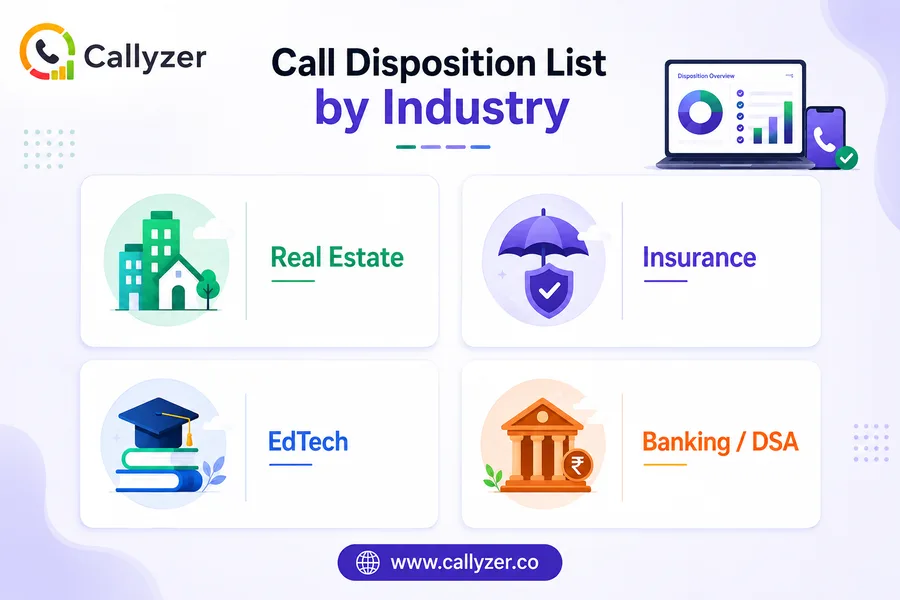
The main tags barely change from one industry to another: interested, callback, not reachable, wrong number, not interested. What changes is the second layer of reason codes, because what counts as a "win" is different in every field.
Real estate: site visit scheduled, budget mismatch, property already sold, financing or loan pending, NRI buyer needing a different follow-up plan
Insurance: policy renewed, quote requested, coverage declined, documents pending, existing policyholder query
EdTech: demo class booked, parent to confirm, fees discussed, admission closed, sibling discount query
Banking / DSA: eligibility checked, documents awaited, application submitted, rejected with a reason logged, cross-sell opportunity flagged
The rule of thumb: don't copy another industry's list word for word. Build the reason codes around the actual decisions your team makes on a typical call.
Automated lead follow-up workflows built on disposition data
This is where a disposition tag stops being just a record and starts doing real work. Once tags are accurate, a simple set of rules can act on them automatically:
| If disposition = | And condition | Then |
|---|---|---|
| call_back_later | time captured | Auto-schedule a reminder at that slot |
| not_reachable | attempt count ≥ 3 | Switch channel to WhatsApp, or reassign |
| interested | (none) | Bump lead priority, notify team lead same day |
| not_interested | (none) | Remove from the active dial list, log for a win-back campaign |
| follow_up_required | no update in 48 hrs | Escalate to the team lead's dashboard |
None of this requires anything complicated. It's really just a few simple rules watching one field. But those rules are only as good as the tag underneath them. If one in five tags is wrong, the rules will act on wrong information almost as often as right, which ends up worse than having no automation at all, because people stop trusting the system.
This is also where weak leads slip through unnoticed. A lead that never gets tagged properly just sits there quietly, using up calling time without anyone realizing it, which is the exact problem we cover in how to spot low-quality leads. Accurate tagging is what makes it possible to catch these automatically, instead of a manager having to spot them by hand at the end of the week.
The metrics dispositions unlock
Once the tags are reliable, a few useful numbers become easy to work out. Each one answers a different question:
- Contact rate. Connected calls divided by total calls made. If this is low, it usually points to bad numbers or calling at the wrong time, not the agent's effort.
- Conversion rate by tag. Leads closed divided by leads tagged "interested." This shows whether "interested" is being tagged honestly or too optimistically.
- Average calls before a lead converts. In telesales, this is often around twelve or thirteen calls, which is exactly why one missed follow-up can quietly cost a sale that was never actually lost, just dropped.
- Tag accuracy rate. Correctly tagged calls (checked by audit) divided by all calls sampled. This tells you whether you can actually trust the other three numbers.
None of this needs anything more than clean data and simple math. The hard part was never the calculation. It was getting agents to tag every call correctly in the first place.
Turn Every Call Outcome Into the Next Opportunity
Track call dispositions, prioritize follow-ups, and keep every lead moving with Callyzer’s centralized call tracking and lead management.
Where teams get this wrong
A few mistakes come up again and again, and each one is easy to avoid once you know to look for it.
- Too many tags. Past fifteen or so, agents stop reading the list carefully. They pick whichever one is easiest to find, not the one that's accurate.
- No second layer. Cramming everything into the main list makes it both too long and still not detailed enough.
- No regular checks. Bad data builds up quietly. Nobody notices until a report looks obviously wrong.
- Automating on top of bad data. Rules act on wrong tags and cause wrong outcomes, and the automation gets blamed instead of the tagging.
- Treating tags as just a formality. If agents feel the tag only exists for someone else's report, they'll rush through it. The fix is making sure agents also rely on that same data for their own daily callback list.
How Callyzer handles this in practice
Everything above is the theory. Here's what it actually looks like inside Callyzer.
Every call made or received through Callyzer gets recorded against the number it came from. That gives a manager a permanent, timestamped record to check later, instead of relying on an agent's memory. This record is also what powers monitoring: call duration, time of day, and outcome all show up together on the same dashboard a team lead already checks each morning.
Right after every call, Callyzer gives agents two simple tools:
- Notes, for anything that doesn't fit a fixed tag, like a specific objection raised, a promised callback time, or a detail worth remembering for next time.
- Tags, for the disposition itself, like interested, call back later, or not reachable, or whatever list the team is using.
The real time-saver is the filter. Once a call is tagged, it can be searched.
A team lead can open the dashboard, filter by "call back later," and instantly see every lead due for a follow-up today, across the whole team, without asking anyone what they still owe a callback.
Filter by "not reachable" instead, and the same view shows exactly which numbers need another try or a different approach. Nothing depends on memory, and nothing gets lost when a shift ends.
Put simply: recording keeps a record of what happened, notes capture the detail a fixed tag can't, and tags make everything searchable. Together, they turn a pile of individual calls into a follow-up system the whole team can actually rely on.
FAQs
What is a call disposition in sales?
It's the tag an agent adds right after hanging up, something like "interested," "call back later," or "not reachable." That one tag turns a call from a memory into something a team can actually search and act on later.
How does call tracking improve lead conversion?
Every call gets logged: who was called, when, what happened. Once dispositions are added on top of that, it becomes obvious which leads are stuck and where follow-ups slipped through, instead of a manager having to ask around and guess.
How do you use call dispositions effectively?
Keep the list short. Tag the call the moment it ends, not at the end of the shift. And check the data now and then, because a code that's being overused or ignored usually means the definition needs fixing.
Can call dispositions help identify leads that need immediate follow-up?
Yes, that's really their main job. A tag like "call back later" or "follow-up required" says exactly who needs attention and when, so it doesn't come down to an agent remembering on their own.
Why are call dispositions important for sales teams?
Without them, everything runs on memory and half-written notes. With them, a manager can look at the dashboard any morning and know exactly how many leads are pending, which ones are stuck, and which need a call today.